Catch cheaters.Keep your privacy.
Strave Monti is the anti-cheat for Siege tournaments on Strave. It keeps the evidence encrypted on the player's PC. A report leaves it only when an organiser asks and the player says yes.
- Local
- AES-256
- 48 h
- Opt-in
Example of the match room after the map veto: seven of ten players are ready, and the match waits for three more.









Hard to cheat. Before, during, and after the match.
Monti locks down the PC before the first round, watches the whole match, and reads the traces that a cheat leaves behind.
DMA cheats hit a wall.
A DMA card reads game memory from a second PC. Monti requires IOMMU before every match. The Light and Full presets also require Kernel DMA Protection and Memory Integrity, so Windows limits which hardware can reach memory at all.
Checked before the first round.
Secure Boot, TPM 2.0, IOMMU, and more. A PC that fails a hard check cannot ready up.
Scripts and macros.
Monti detects scripts and macros.
Watched for the whole match.
Monti stays active from the ready-up to the last round. When it finds something suspicious, your staff gets an alert.
Deleted is not gone.
A cheat leaves traces, and removing it leaves more. Closing or deleting a cheat before the match does not hide it from Monti.
Your event, your level.
Pick the Core, Light, or Full preset. Each preset turns more checks into hard requirements.
Your data has one way out. You hold the key.
Monti keeps the evidence on your PC. While you play, it sends only heartbeats and short alerts. This is the only path a report can take.
Your PC
Monti watches the match
Everything Monti collects goes into encrypted storage on your PC. While you play, it sends only heartbeats and short alerts.
Organiser
Monti flags, the organiser asks
The organiser sees that Monti flagged something and can request your report with a reason. Without a flag, Strave staff must approve the request first.
You
You decide
The match room shows the reason. Your client uploads the encrypted .r6ac report only after you confirm.
Strave
Decrypted, ranked, then closed
The backend decrypts the report and ranks the findings. The organiser can read it for 48 hours after your upload or the end of the event, whichever comes first.
Ready up, then play.
After the veto, the match room asks you to start Monti. The match starts when all ten players are ready.
After the veto
Monti never holds the map veto. Teams can still ban and pick hours before the match.
Accept once, then start
Open the match in the Strave desktop app, accept the policy, and start Monti. You are ready while it runs.


Separate and visible.
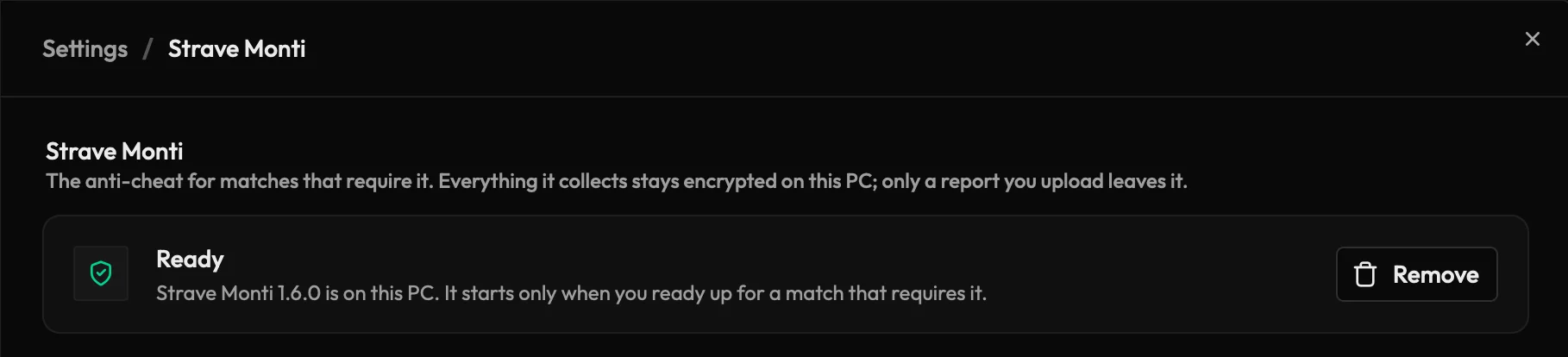
Monti is not part of the installer. The client downloads it only for a match that needs it. It runs as its own process, shows as Strave Monti in Task Manager, and you can remove it in Settings at any time.
Fair matches without a forensics team.
Every match sheet gets an anti-cheat tab. You see who is ready, who Monti flagged, and where each report request stands.
One choice in the event rules
Choose Strave Monti as the anti-cheat of an event and pick the Core, Light, or Full preset.
Hard or soft start
Hard: the match waits until every player is ready. Soft: it starts, and you see who was not ready.
Override with a reason
If a player has a problem, release the held match. Strave records the reason in the audit log.
Example of the organiser anti-cheat tab: all ten players are ready, one player is flagged with a report request, and one minor alert.
Ranked findings, not raw logs.
The backend runs every report through several detection models and rule-based checks, then ranks the threat candidates. Your admins need no technical knowledge to read a report.
Example of a report summary: four threat candidates sorted by review priority.
What players ask us.
- Is Monti installed with the Strave client?
- No. The client downloads Monti only when you play a match that needs it. Monti runs as its own process, and you can remove it in Settings → Strave Monti.
- Does Monti send my data while I play?
- Not your evidence. While you play, Monti sends only heartbeats and short alerts. An alert names the finding, for example a suspicious process, and holds no personal data. The report itself leaves your PC only when an organiser requests it and you confirm.
- Does Monti stop DMA cheats?
- It makes them much harder. Monti requires IOMMU before every match, and the Light and Full presets also require Kernel DMA Protection and Memory Integrity. No anti-cheat can promise to stop every hardware cheat.
- Does Monti run at kernel level?
- No. Monti runs with administrator rights, only during a match that needs it, and stops after the match. It does not install a driver.
- Who can read my report?
- The organiser of the event, for 48 hours after you confirm the upload or after the event ends, whichever comes first.
- Can a cheater change the log?
- The report is encrypted, and Monti authenticates every record it stores. A changed or cut log fails the check, and the report shows it.
- Do my admins have to read logs?
- No. Strave ranks the findings of each report by threat, so an admin needs no technical knowledge to read one.
- Is Monti finished?
- Not yet. Monti is in beta on Windows. We will share more details and deeper insights when it leaves the beta.
Play fair.
Stay private.
Monti is in beta. Create your event on Strave and tell us about it on Discord. We add events to the beta step by step.