Stream Manager
Manage ingest feeds and route them to your broadcast.
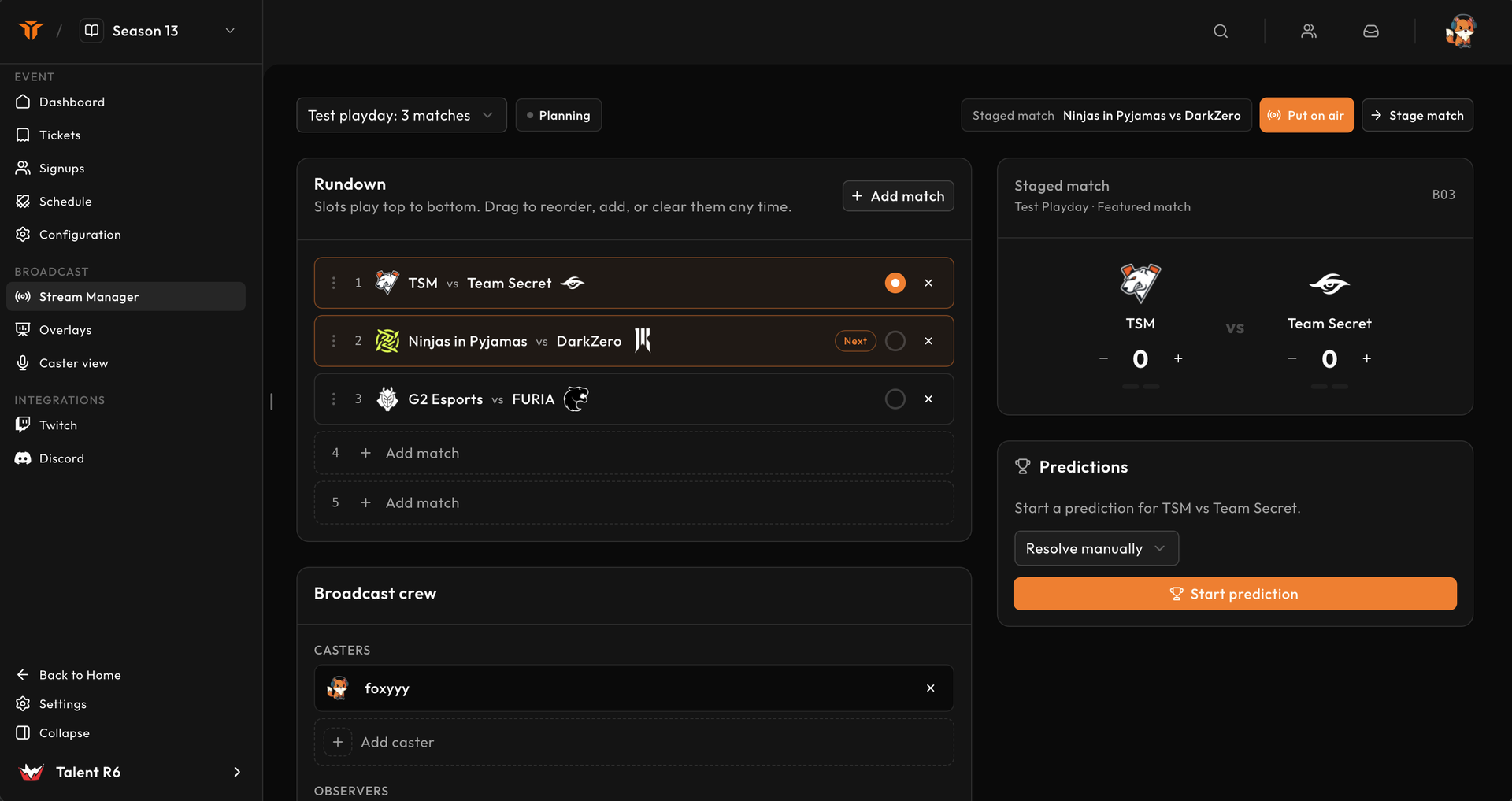
Stream Manager is the live control room for an event. It coordinates the playday, rundown, crew, on-air match, and broadcast-only series score used by Strave overlays.
Permissions
Broadcast managers can edit the rundown, crew assignments, and on-air state. Operators with control access can advance matches and adjust overlay scores. Other staff can receive a read-only view.
Use the smallest permission set each person needs and decide who has final control before the show starts.
Select a playday
At the top of Stream Manager, select the stage and date you are producing. The status beside it is:
- Planning when changes are staged but not public to live sources;
- On air when overlays follow this playday.
Use the built-in test playday for rehearsals. It never needs real event matches.
Build the rundown
The rundown plays from top to bottom.
- Select Add match.
- Choose matches from the selected playday.
- Drag rows into broadcast order.
- Remove duplicate or cancelled rows.
- Stage the first match.
The header shows the next match. Advance selects the next rundown row and updates connected overlays. It does not change the competitive match result.
Assign the crew
Crew slots come from Stream config. For each playday, assign organisation members as:
- casters;
- observers;
- producers.
An assigned person can be removed or replaced without changing the event-wide slot counts. Configure enough slots before opening Stream Manager.
Put the playday on air
Before selecting Put on air, confirm:
- the correct playday and first match are selected;
- OBS scenes use live rather than test URLs;
- team names and logos are correct;
- crew and ingest communication are ready;
- overlay scores start at zero.
Putting a playday on air makes it the state followed by event-scoped browser sources. Only one playday should control the live show at a time.
Control the on-air match
The score card is independent from the official competitive result. Use the plus and minus actions to show the current series score on broadcast overlays. The best-of markers make the required series wins visible.
Advance only when production is ready for every source to switch. The header, map-ban graphic, schedule, standings, ticker variables, and custom HTML state can all react to the selected match.
Predictions and supporting panels
When enabled, Stream Manager also exposes prediction controls and other playday-specific production panels. Treat these as broadcast presentation state; they do not replace match-room score confirmation or organiser moderation.
Recovery during a show
If the operator reconnects, Stream Manager reloads the persisted playday, rundown, current match, crew, and score. After a browser or network failure:
- verify the selected playday;
- confirm the On air indicator;
- check the staged match and score;
- refresh an overlay source only after the control state is correct.
Do not rebuild the rundown just because a page reloaded.