Event Settings & Modes
Configure your event and pick from the available competition modes.
The event workspace separates structural competition settings from day-to-day operations. Most settings auto-save after a short delay; wait for the saved indicator before leaving a page.
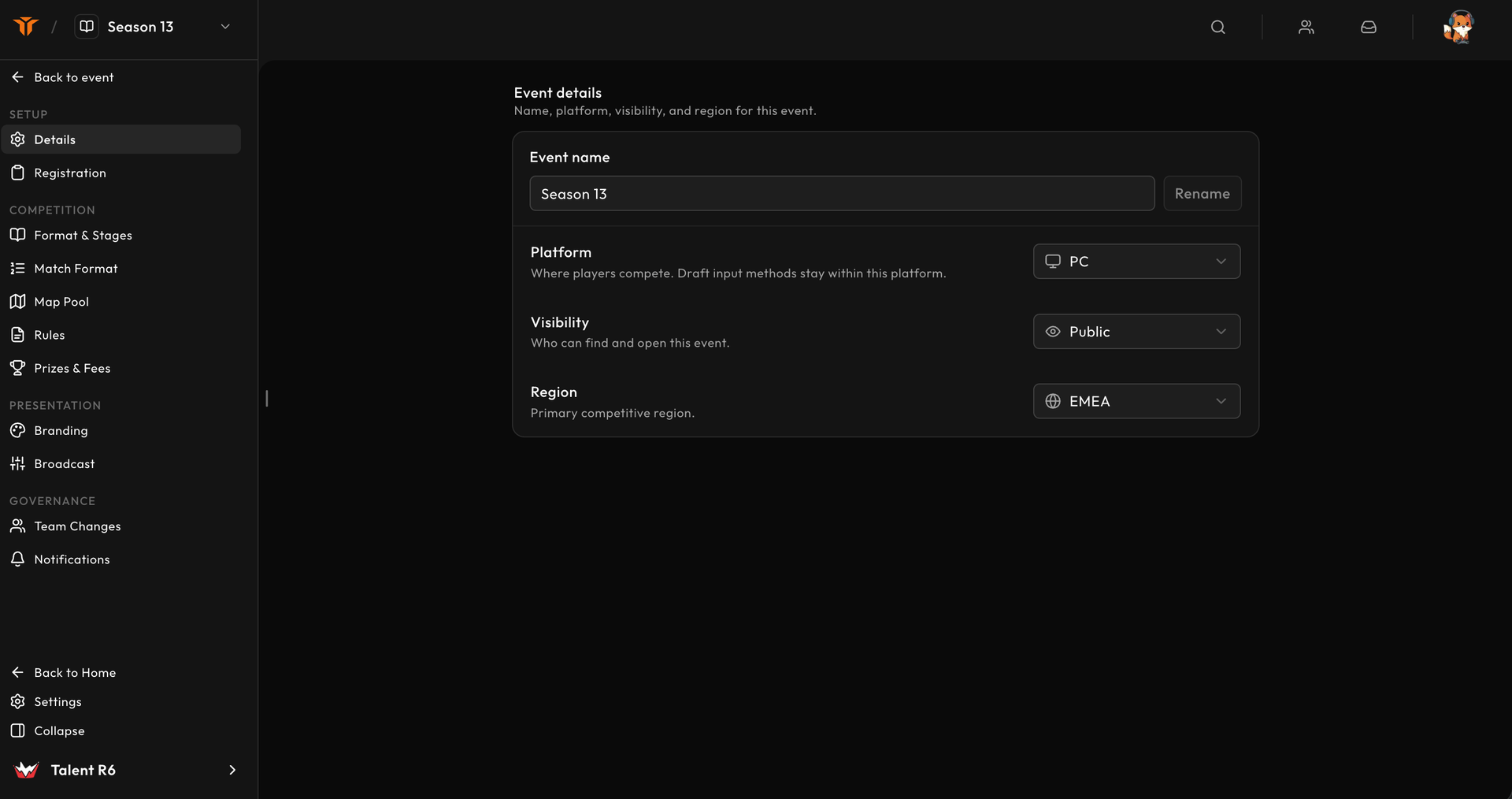
Details and visibility
Settings → Details controls the event name, platform, visibility, region, and shareable tournament link.
Renaming also changes the event slug. The previous URL stops resolving, so update any links already sent to teams or production staff.
Registration modes
The creation-time event type defines how participants enter:
| Event type | Participants | Team formation |
|---|---|---|
| Standard tournament | Existing teams | Event teams are copied at signup. |
| Draft event | Individual players | Captains draft approved players. |
Standard events can also enable Community cup mode. This relaxes the normal 5v5 assumptions and lets you choose one to five players per side:
- one player uses solo registration;
- two to five players use team registration;
- team size is locked after publication.
Registration settings also control manual approval, automatic check-in for late eligible signups, signup questions, and organisation ban-list enforcement.
Stages and formats
Stages model the phases of the competition. Supported formats include:
- single elimination;
- double elimination;
- round robin;
- Swiss;
- playoff stages for later-phase placement.
Each stage can define its own best-of format, maximum teams, groups, check-in window, scheduling, and advancement. Round-robin and Swiss stages also use point and tiebreaker rules.
Build the stages in progression order. Later stages receive advancing teams from the previous stage; first-stage groups draw from approved signups.
Map pool and match format
Use Map pool to select a preset or a custom list of maps. The pool is locked when the event leaves draft state.
Use Match format to define named best-of configurations such as bo1 and
bo3. Each configuration contains the ordered ban, pick, decider, and side
choice steps used by match rooms.
The number of veto steps must fit the selected map pool. Configure the pool first, then test every format you reference from a stage.
Rules and anti-cheat
Rules controls:
- uploaded or linked rulebooks;
- whether teams may file protests and for how long;
- the anti-cheat mode and player instructions;
- MOSS upload targets, deadlines, retention, and enforcement;
- optional automatic disqualification rules.
Hard MOSS enforcement can keep a result pending or block the next match until the required evidence is present.
Team-change policy
Set separate policies for team names, logos, and lineups:
- Open applies eligible changes directly;
- Request sends changes to organisers;
- Locked blocks changes.
Optional date windows limit when a policy can be used. Review pending changes from the team's detail view under Signups. See Event teams for the full workflow.
Branding and broadcast
Branding supplies the public event banner, description sections, sponsors, and stream overlay identity. Broadcast-specific colours, ticker lines, info content, and crew slots live under Stream config.
Test browser sources before the first playday. See Overlay overview and Stream Manager.
Notifications
Event notifications can target Discord and HTTP webhooks. Treat webhook URLs as secrets, send a test event, and keep the destination limited to the event messages the receiving channel or system needs.
Draft versus published state
Use draft state for structural work. Before publishing, confirm:
- registration and team size;
- map pool and every referenced best-of;
- first-stage groups, capacity, and check-in;
- rules and MOSS policy;
- public event copy and sponsors;
- notification and broadcast tests.
Publication intentionally narrows what can change so active signups, brackets, and match rooms remain predictable.