Create a Team
Set up a team and invite your roster.
A Strave team is the roster you manage between events. When you register for a tournament, Strave creates an event-specific copy of the team so the organiser can keep that tournament's lineup stable without blocking changes to your main team.
Before you start
You need a Strave account and a team name of at least three characters. Choose a short tag of one to six characters; it appears beside your team throughout brackets, match rooms, and broadcasts.
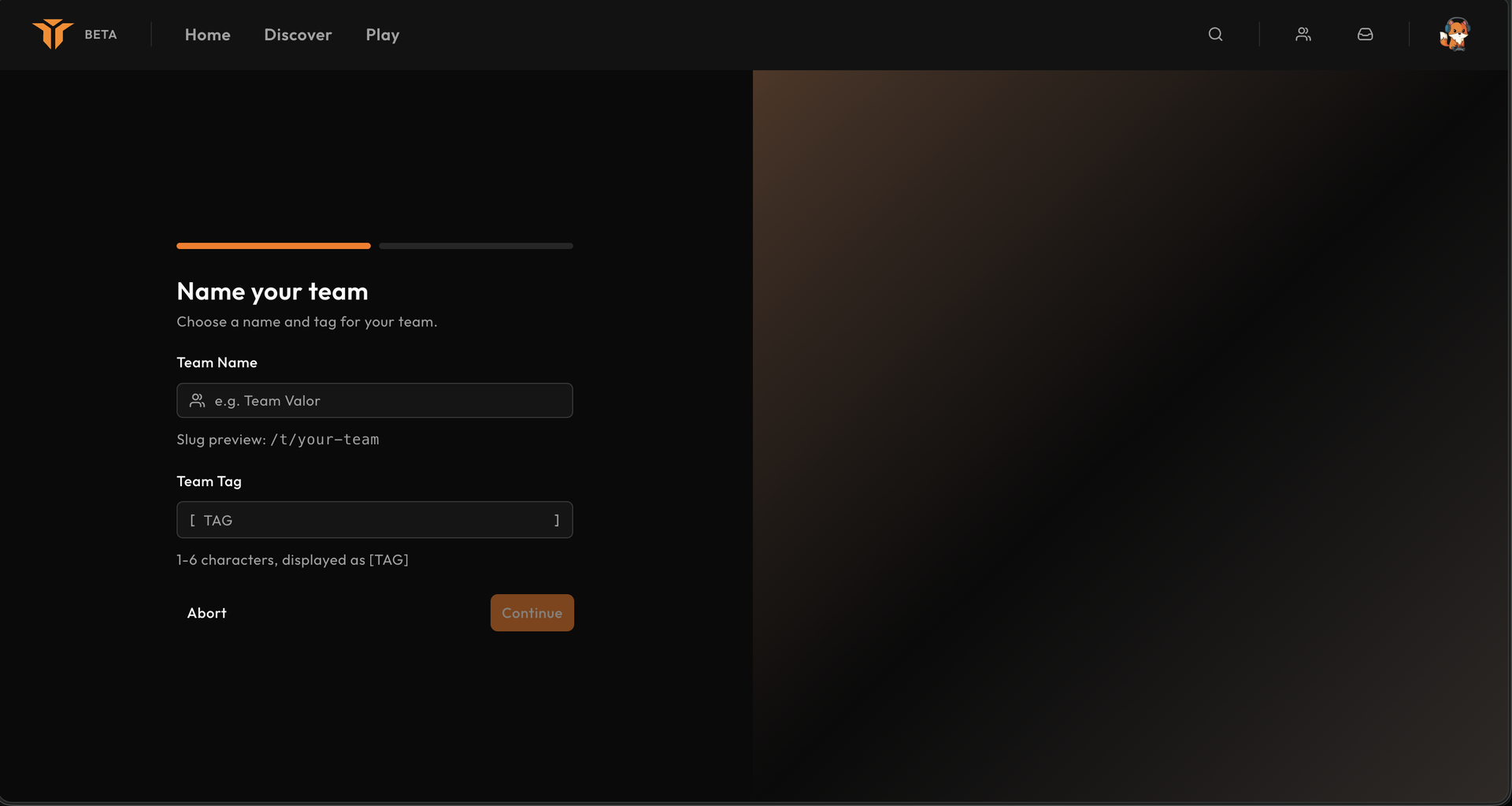
Create the team
- Open My teams and select Create Team, or go directly to Create team.
- Enter the team name. Strave checks the generated public URL while you type.
- Enter a tag. It is converted to uppercase automatically.
- Select Continue.
- Optionally choose a platform, region, and country.
- Select Create.
The creator becomes the owner and is taken to the new team workspace. Platform, region, and country can be changed later.
Build the roster
Open the team's Members settings to invite people and organise the lineup. Members can join as:
| Role | Use |
|---|---|
| Main lineup | A regular competing player. |
| Stand-in | A substitute who may play when permitted by the event. |
| Coach | Non-playing staff who supports the roster. |
| Analyst | Non-playing staff who prepares strategy and review. |
An invitation can target an existing Strave user, or you can generate a short invite code to share privately. Pending invitations remain separate from the active roster until they are accepted.
Assign management access
Lineup roles and management permissions are separate. A player can remain on the main lineup while also receiving permission to:
- register the team for events;
- invite or remove members;
- update the team profile;
- manage event participation.
Give elevated permissions only to people who should be able to act for the team. Ownership can be transferred from the Members settings.
Finish the team profile
Use the remaining settings to add a logo, banner, social links, country, and region. A complete profile helps organisers and viewers recognise the team on event pages and overlays.
What happens at registration
Registering creates an event team with its own name, logo, and lineup. Changes to the main team continue to sync while the event allows them. Once the organiser locks an attribute, later changes may be blocked or sent as a request for approval.
Continue with Sign up for an event or read Event teams for the full model.